
The shift to agentic programming marks a fundamental change in software development: we are moving from writing codes character-by-character to directing autonomous agents that can plan, execute, debug, and verify apps.
My prompt:
I am looking to build an employee spotlight and recognition canvas app with Sharepoint as its data source. The app will allow managers and HR to submit nominations with the employee name, email, key accomplishments, team name and project name as optional. On home page it displays a grid layout of submissions and clicking on it displays more details on a new screen.
Caveats:
- In this demo I used Canvas Apps Authoring MCP Server and it cannot create the sharepoint lists. It focuses purely on authoring, modifying, and inspecting UI structures, controls, screens, and Power Fx formulas inside a canvas app via YAML. I created the sharepoint list manually and added it on the canvas app.
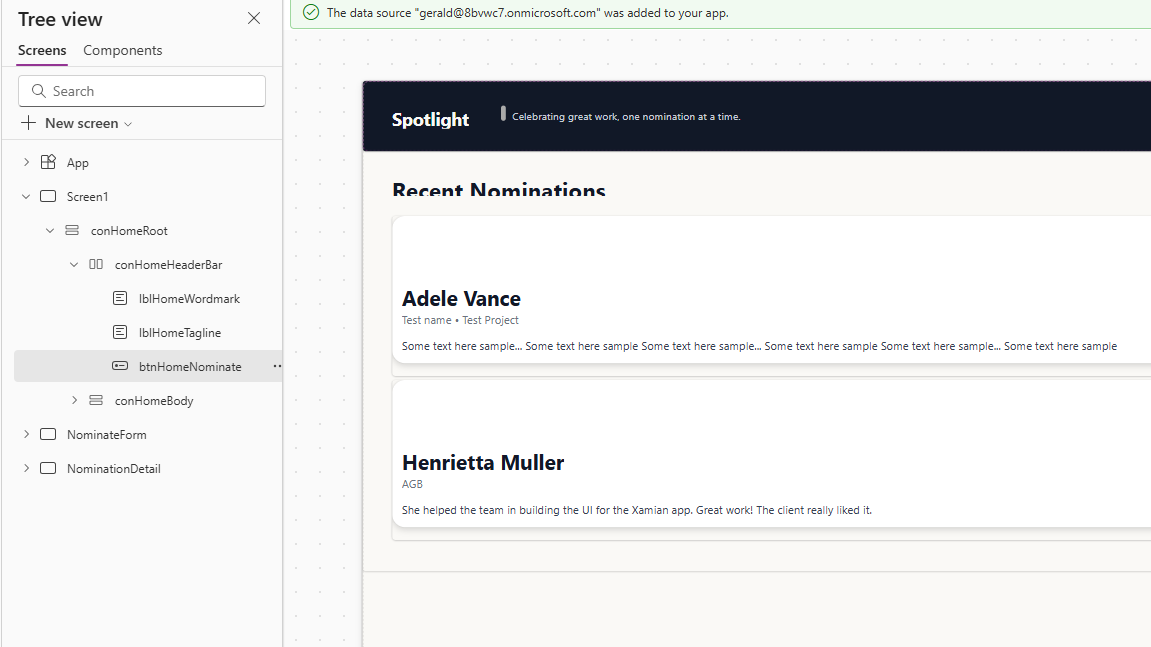
- Some texts have some overlaps with other controls that needed manual adjustments
- The UI is built in a responsive layout however the default colors of the output are off (dark text on dark background)
Advantages:
- Time savings (multiple agents run on parallel for different screens)

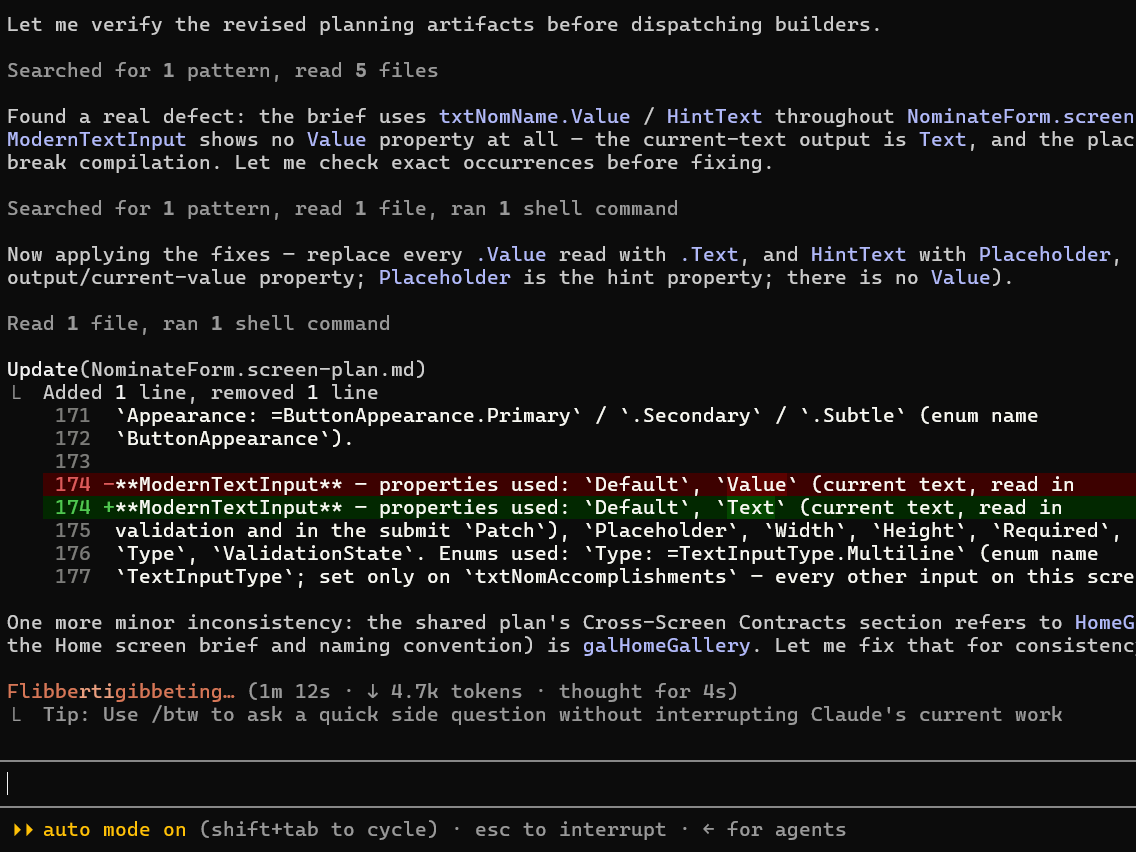
- It can troubleshoot the errors and solve it by itself. Here you can see it encountered an issue and resolved it by itself.
- j,kkk
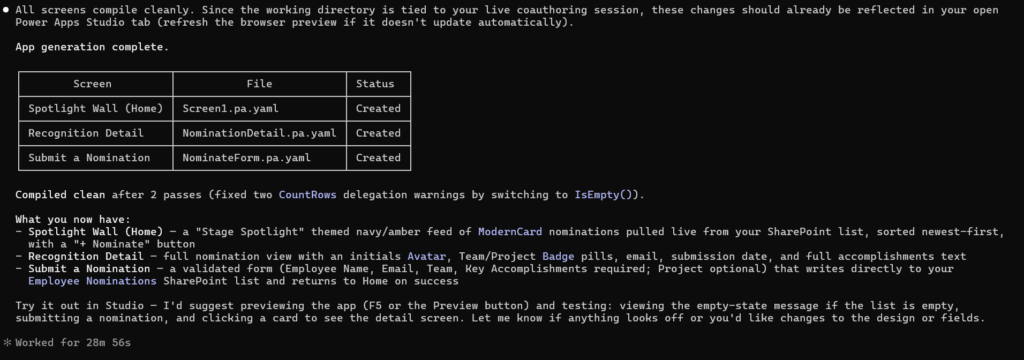
The output: In under 30minutes and after a few prompts a responsive app was built
Final thoughts:
I must say that the process was smooth for a first time user (except for the long waiting time while agents are working 20-30min you can do something else). It was surprisingly good and managed to build an app from your prompt. Its not perfect but I expect it to only get better from here. We as devs, need to embrace this shift and its coming fast.